Examples of how technology helping homebuyers
6th November 2023
Finance & Budgeting Pre-Construction Design & Trends
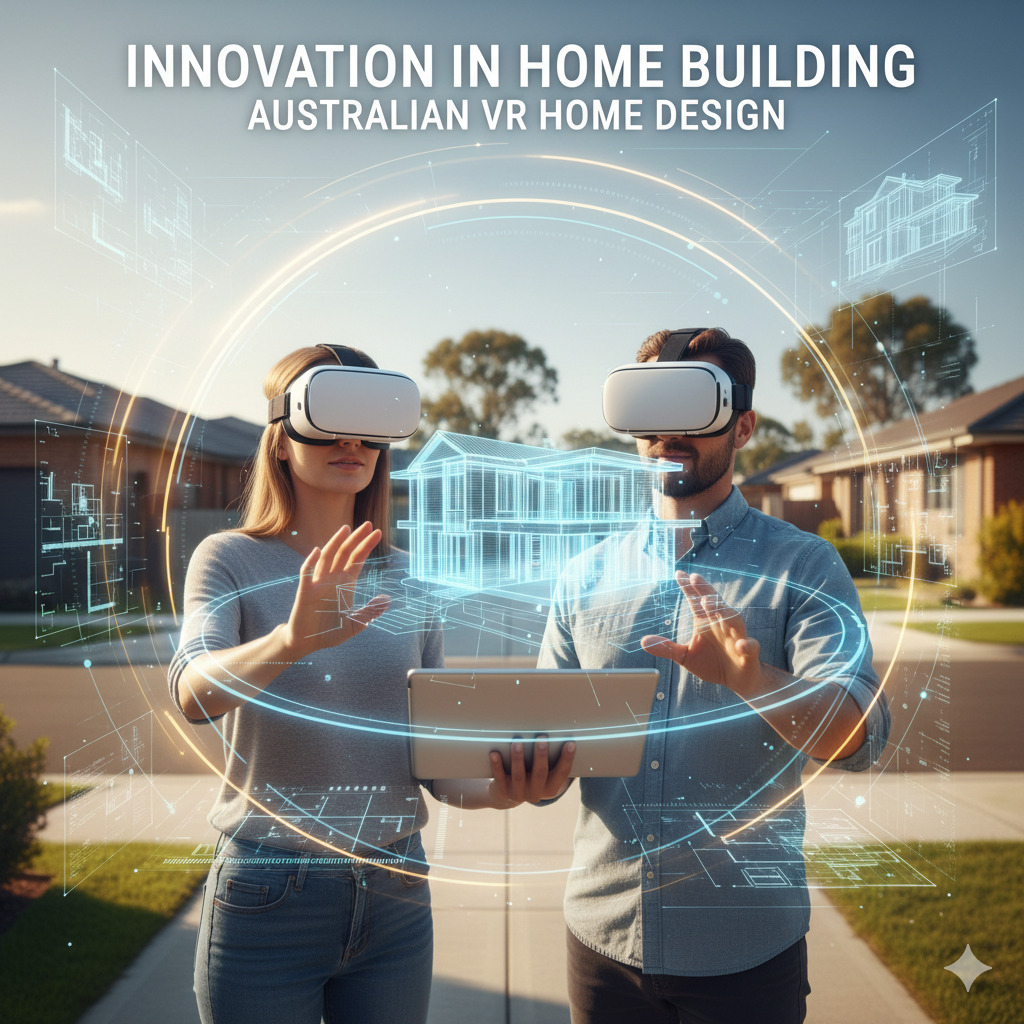
Technology is transforming the home-buying experience by helping Australians visualise and understand their future homes long before construction begins. From virtual tours and VR walkthroughs to site-sighting tools and façade visualisers, buyers can now explore layouts, spot issues early and make more confident decisions. While display homes still play a role, these digital tools are reshaping how buyers compare options, communicate with builders and avoid costly surprises.
How Technology Is Helping Homebuyers: A New Frontier in Home Building
Buying a new home is one of the most significant decisions most Australians make. But for many, it can feel like a leap in the dark - how will your home really feel once built? In this episode of the Home Building Hub podcast, Colin and Darren explore how technology is changing that experience - making it easier to visualise, explore and understand a home before bricks and mortar.
In this article, we break down the tools, trends and challenges they discussed - and what that means for you, the home buyer.
Why Technology Matters in New Home Construction
Modern tech is bridging the gap between plans on paper and living spaces in reality. As Colin points out, many buyers still want the physical, tangible feel of a home - but tech can complement that.
Some of the benefits:
-
You can explore a home from anywhere - even before a display home is built
-
You can spot design or plan issues early (reducing on-site surprises)
-
You gain more confidence in what you're buying
-
You’re less reliant on visiting many display homes (which can be time-consuming)
The key, as Colin notes, is consumer readiness. Some tech has existed for years, but adoption has lagged until more buyers become comfortable with virtual tools.
Key Technologies Transforming the Buyer Experience
Here are the main tools Colin and Darren cover - along with pros, cons and tips for buyers.
Technology
What It Does
Strengths
Limitations / Things to Watch
Matterport / Virtual Tours
360° photographic capture of an existing home, blended so you can “walk through” virtually
Highly realistic; allows you to see inside, around and between rooms; can include call-outs to highlight features or inclusions
It only works when someone has done the scan. If a home is not scanned (e.g. display house closed), it may not be available.
Virtual Reality (VR) / Situ Systems
Fully immersive experience - you feel like you’re inside the home, with ability to move around virtually
Very realistic, can adjust floor plan, colour schemes, layout
Loading times can be slow; needs good hardware; not always available for every plan; cost can be high initially
Big Plans (life-size projection)
Projects your floor plan at full scale on a floor or surface so you can walk it
Gives you real sense of space, walkability, how furniture fits
No 3D detail, no roof; the lack of ceiling or walls can distort perception
GeoSight / Site Sighting Tools
Visualises how your home will sit on your block, showing site fall, retaining walls, cut & fill, solar orientation, external views
Helps you see how the house will look in your actual lot; understand exterior constraints
Not all builders use it; some tools may lack full flexibility; may be internal to industry
YouTube Walkthroughs / Time-lapse Builds
Video walkthroughs of houses (existing, under construction or finished)
Accessible, low cost; authentic insight into space & flow
Can be generic, not your exact plan; may lack measurement detail
i-Visualize (Brickworks façade tool)
Allows you to test façade and external finishes (brick, roof, cladding) on selected builder plans
Helps with visualising curb appeal and architectural style
Limited to certain builders / products; you may only get access to certain façades
How These Tools Benefit Home Buyers
-
Avoid surprises: Walk virtually through the home and uncover awkward spaces or design flaws before construction begins.
-
Make better decisions: Choose layouts, finishes and designs with more confidence because you’ve “been there” virtually.
-
Save time and travel: You don’t have to drive to multiple display homes - you can compare remotely.
-
Improve communication with builder: Use screenshots, call-outs and video to show exactly what you mean or want.
-
Spot errors early: Virtual models can often flag inconsistencies or mistakes before they show up on site, saving time and money.
Display Homes - Are They Still Relevant?
Colin and Darren debate whether display homes are becoming obsolete. Here’s their take:
-
Investors: Colin says display homes are “dead” for this group - they want clarity, not experience.
-
Owner-occupiers (your dream home): Display homes still have a role - especially in sparking ideas and giving emotional connection.
-
The consensus: Display homes remain useful, but they’ll be supplemented (or sometimes replaced) by tech tools - especially for buyers with less time.
-
Darren emphasises: Display home traffic is already declining. Buyers today want more efficient, targeted visits - not a full day touring 30 homes.
Tips for Buyers: What to Ask Your Builder
If you’re about to build, here are some questions you should ask:
-
Do you provide Matterport or virtual tours of standard homes or completed client homes?
-
Can I view my own floor plan in VR or walkthrough mode?
-
Do you use site-sighting tools like GeoSight to show how the home sits on my block?
-
Can I test façade options using tools like i-Visualize?
-
Are there video walkthroughs or time-lapse builds I can view from past clients?
-
At what stage can I view a house under construction (practical completion, lock-up, fix stage)?
Challenges & Considerations
-
Adoption / good hardware: Some buyers aren’t comfortable using VR or don’t own the hardware.
-
Cost and time for setup: Builders must upload plans, render models - which can take hours or days (though this is improving).
-
Realism vs expectation: Virtual models may sometimes oversell finishes or space - always cross-check with specs.
-
Limited to what is scanned / modelled: If your particular plan isn’t part of a virtual tour or VR model, you can’t access it.
-
Display homes still matter: For many buyers, seeing a physical home - or a near-finished home - gives reassurance no screen can replicate fully.
Glossary of Terms
-
Matterport: A platform that captures 360° scans of real spaces, allowing virtual tours.
-
VR (Virtual Reality): A fully immersive environment (often via headset) in which you can explore a plan as if you’re inside it.
-
Big Plans: Life-size projection of your floor plan on the ground so you can “walk through” in real scale.
-
GeoSight / Site Sighting Tools: Digital tools showing how your home sits on the physical block - including elevation, retaining walls, site cut, orientation.
-
Façade visualiser (e.g. i-Visualize): Tool that lets you play with external finishes, cladding, colour, roof etc. on a house façade.
-
Display Home: Physical built model home shown by builders to prospective buyers.
-
Practical Completion / Lock-Up / Fix Stage: Stages in build where home is near completion, walls and roof are in, finishing work is ongoing.
Frequently Asked Questions
Q: Can I use these virtual tools for my specific house plan? A: It depends. Builders typically support only standard plan models if they’ve already been scanned or modelled. If your custom plan isn’t available, you might need to ask them to add it (but that could take extra time or cost).
Q: Are virtual renderings accurate to real life? A: They offer a close approximation but can exaggerate finishes, lighting or space slightly. Always cross check with dimensions and specs. Use them as guidance, not gospel.
Q: If I build in a regional area, will these tools be available? A: Many tools are cloud-based and accessible from anywhere. The issue is whether your builder subscribes to them or is willing to implement them.
Q: Does this technology increase the cost of building? A: There can be upfront cost (model creation, scanning) but those costs tend to decrease as adoption increases. Also, identifying design flaws early can save you money on-site.
Q: What if I don’t like tech - can I still rely on traditional display homes? A: Absolutely. Technology is a complement, not a full replacement (at least not yet). Many builders still maintain display homes or spec homes for onsite tours.
Key Takeaways
-
Technology is progressively enabling home buyers to walk through and visualise homes before construction begins.
-
Tools like Matterport, VR walkthroughs, site-sighting software, big plans and façade visualisers each address different buyer needs.
-
Display homes remain relevant, especially for emotional connection and on-ground experience, but their role may shift.
-
Always verify what virtual toolsets the builder offers and when you’ll be able to access them.
-
Use virtual tours to spot issues early - to save time, money and surprises once building begins.
🔊 Call to Action Want to hear more? Check out the full podcast episode on YouTube: How technology is helping homebuyers
Two-Sentence Episode Description
In this episode, Colin and Darren explore how technology is transforming how homebuyers visualise and experience a new home - from virtual tours to site-sighting tools. They discuss the pros, limitations and future potential for buyers to “walk through” a home before a single brick is laid.
Thumbnail Prompt for 1024×1024 Image
“An architectural digital house model overlaid with virtual reality gridlines and a stylised VR headset beside it, modern clean lines, soft blue and white palette, clear Australian suburban roofline in background”
About the Home Building Hub Podcast
The Home Building Hub podcast, hosted by industry experts Colin Bischof and Darren Brennan, is Australia’s premier resource for new home buyers. With weekly episodes featuring special guests, the podcast provides objective, high-quality insights into the home building process - completely free and without sales pitches. From understanding financing options to navigating the complexities of building a new home, each episode is packed with actionable advice and tips. Explore more episodes at http://www.homebuildinghub.com.au and join our growing community of informed home buyers.
Disclaimer
This article was generated by AI based on a transcript of our podcast episode and may contain inaccuracies or omissions. Whilst we’re all about providing value to you, this article should not be considered as legal or financial advice. It contains general information only and is based on the content discussed during the podcast episode. This information is relevant to the episode’s release date and may not be applicable at the time of reading. Always seek independent professional advice tailored to your personal situation before making any legal or financial decisions.